Is 3uTools Safe? Complete Security Guide, Risks, and Features Explained (2026)
Managing an iPhone or iPad often requires more than basic Apple tools. Many users use advanced software like 3uTools to manage files, flash firmware, and perform other technical tasks. Before using it, a common question is: Is 3uTools safe to use?
Some users find it very useful because of its powerful features, while others are concerned about security risks, malware, and jailbreaking issues. In this guide, we will explore what 3uTools is, its safety, benefits, and possible risks so you can decide whether it is right for your device.
What is 3uTools?
3uTools is a third-party device management tool designed for iOS devices such as iPhones, iPads, and iPods. It runs on Windows computers and provides a wide range of functions that help users manage their Apple devices more efficiently.
Normally, users manage their devices using iTunes or Finder on macOS. However, these official tools sometimes lack advanced customization options.
This is where 3uTools becomes useful. It provides additional control over the device and allows users to perform tasks that are not easily available through Apple’s official software.
Features of 3uTools
Some of the main features of 3uTools include:
Because of these powerful features, 3uTools has gained popularity among advanced iOS users and technicians.
Why is 3uTools So Popular?
Is 3uTools Safe to Use?
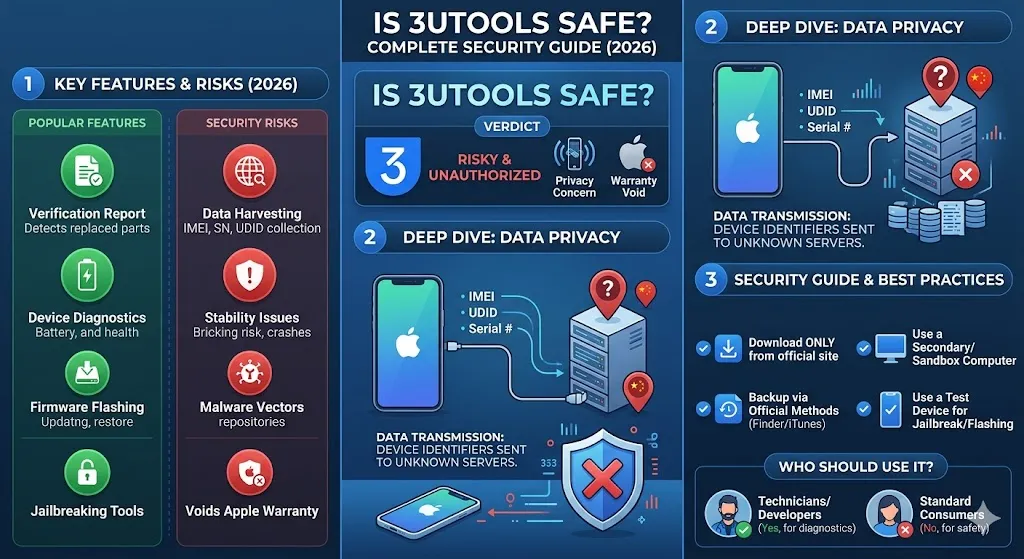
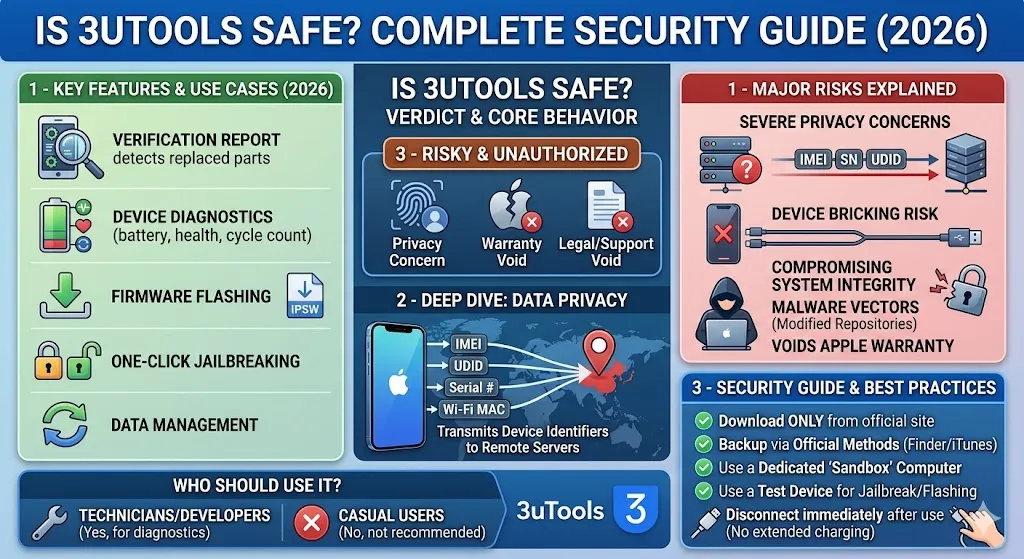
The short answer is yes, 3uTools can be safe, but it depends on how you download and use it.
Since 3uTools is a third-party application, it is not developed or officially supported by Apple. This means users must be careful when installing and using it.
If downloaded from the official website and used correctly, most users experience no serious problems. However, downloading modified or pirated versions can lead to security risks.
Therefore, safety depends on several factors.
Security Concerns Related to 3uTools
Although 3uTools is widely used, there are some potential security concerns users should know about.
1. Data Privacy Concerns
Since 3uTools can access your device files, some users worry about data privacy.
Although there is no strong evidence that the official version steals user data, it is still important to be cautious and avoid sharing sensitive information.
2. Jailbreaking Risks
Jailbreaking is one of the main reasons people use 3uTools. Jailbreaking allows users to remove the restrictions placed on iOS devices.
While this may sound useful, it also comes with serious risks:
Jailbreaking removes many of the security protections built into iOS.
3. Downloading From Unofficial Sources
One of the biggest risks is downloading the software from random websites. Some fake versions may contain:
To avoid these problems, always download 3uTools from its official website.
Is 3uTools safe to download?
By following these safety practices, you can reduce potential risks and use 3uTools more securely on your computer and iOS devices.
Yes, 3uTools is generally safe to download if you install it from the official website. It is widely used to manage iPhones and perform tasks like file transfers and firmware flashing, often as an alternative to iTunes.
However, downloading it from unofficial websites can be risky because modified versions may contain malware or viruses. Also, since it is not officially supported by Apple, users should always use it carefully and download only the authentic version.
To download and use 3uTools safely, follow these simple precautions:
By following these safety practices, you can reduce potential risks and use 3uTools more securely on your computer and iOS devices.
Official vs Third-Party Downloads of 3uTools
Feature | Official Download | Third-Party Download |
Source | Official website (3uTools.com) | Unknown or random websites |
Safety | Safe and verified | Risk of malware or viruses |
Software Version | Latest and updated | Often outdated or modified |
Performance | Stable and reliable | May crash or not work properly |
Security | No hidden threats | High security risk possible |
Updates | Regular updates | No official updates |
Support | Official support available | No support available |
Recommendation | Highly recommended | Not recommended |
Advantages of Using 3uTools
Despite the risks, 3uTools offers several benefits that make it attractive to iOS users.
1. User-Friendly Interface
Even though 3uTools offers advanced features, the interface is relatively easy to understand. Many tasks can be completed with just a few clicks.
This makes it suitable for both beginners and experienced users.
2. Complete Device Management
Users can manage almost every aspect of their iOS device from a single dashboard.
This includes:
3. Easy Backup and Restore
3uTools allows users to create full backups of their devices. This can be very helpful if the device crashes or needs to be restored.
Backing up data ensures that important files are not lost during firmware updates or system repairs.
4. Detailed Device Information
Another useful feature is the detailed device report.
Users can check:
5. Firmware Flashing and Repair
Sometimes iPhones get stuck in recovery mode or fail during software updates.
3uTools allows users to download and install firmware manually, which can fix many software-related issues.
Tips to Use 3uTools Safely
Disadvantages of 3uTools
Can 3uTools damage my iPhone?
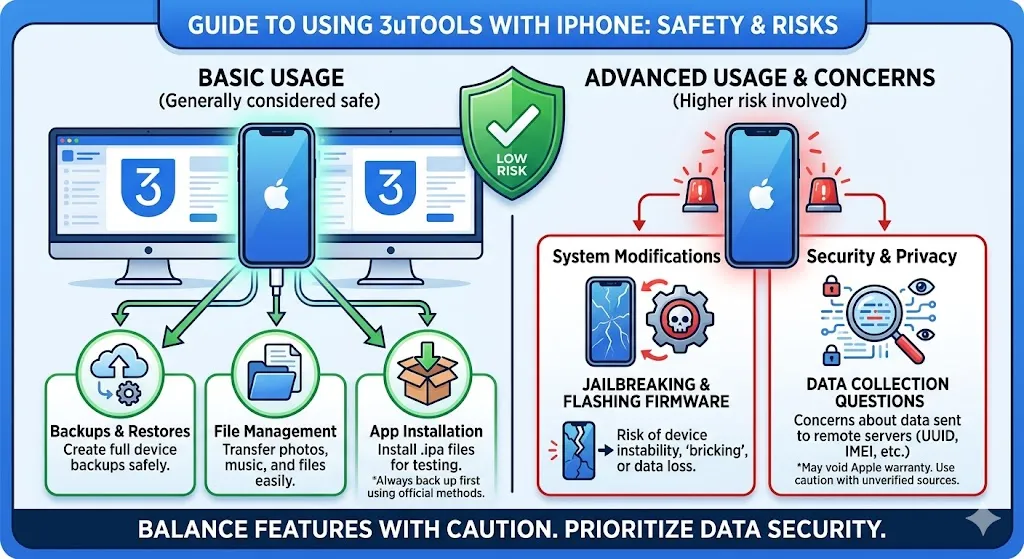
No, 3uTools usually does not damage your iPhone if it is used correctly. However, wrong actions can cause software issues.
Who Should Use 3uTools?
3uTools is best suited for users who need advanced control over their iOS devices.
It is particularly useful for:
However, casual users who only need basic features may find Apple’s official tools sufficient.
Conclusion
The answer depends on how responsibly you use it. If you download the official version, avoid suspicious modifications, and use the features carefully, 3uTools can be a powerful and helpful iOS management tool. However, users should always remain cautious, especially when using advanced functions like firmware flashing or jailbreaking. Security should always be the top priority when installing third-party software.